
 Timesheet
 Timesheet
The timesheet module
... lets you enter your time worked and your absences.
It also lets you view and correct what you already entered, and what is scheduled for you.
- Time entered on the desktop timesheet is visible in the web timesheet, and vice-versa. They are just different ways to access the same data.
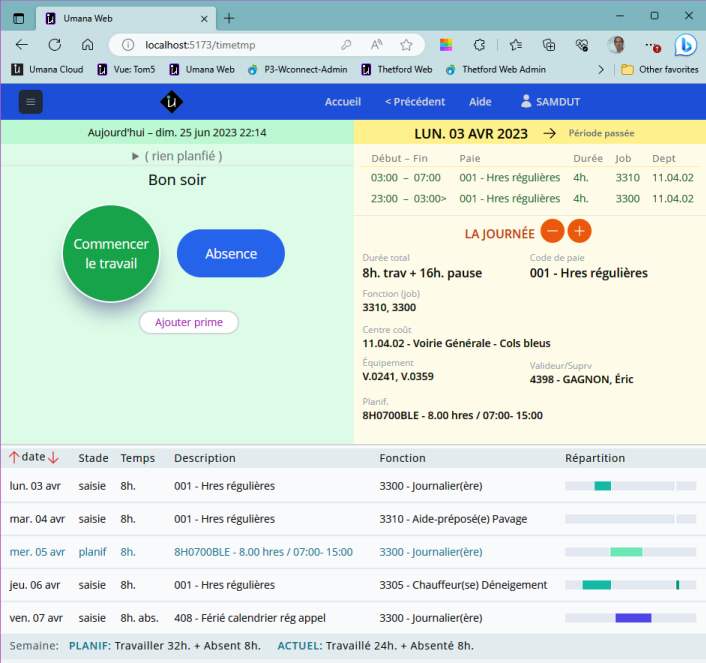
It has 3 linked panels
The top (left) NOW panel (pale green) is for today. It is the best way to track your work — when you do it and before you forget.
The second (right) ONE-DAY panel (yellow) has details for a day, and lets you make corrections (until it is approved by you manager).
The bottom WEEK panel shows a week at a time, both what is planned and what you have entered.
See also
NOW panel (green) | ONE-DAY panel (yellow) | WEEK panel (bottom) | Timesheet Administration© Carver Technologies, 2025 • Updated: 2024/11/04